




 Undetected on EAC
 Dead by Daylight FOV Changer
Dead by Daylight added a field of view slider in patch 7.5.0 and capped it at 103, for killers only. Survivors got nothing, stretched resolution was locked out years earlier, and the frame rate cap stayed. The visuals and camera tools in the build are the settings menu Behaviour did not ship.
Camera FOV goes past the slider on killer and adds one on survivor, so you see the loop behind you and the survivor hugging the wall at your feet. Stretched Resolution gives the extra vertical view survivors used to get from config edits without touching the game files. Lighting Changer and Remove Post-Processing take the fog, grain and dark out of Yamaoka, Lery's and Midwich, FPS Uncap lifts the frame cap, Freecam detaches the camera, and Overlay Scale keeps the ESP readable whatever resolution you land on.
What the Dead by Daylight FOV Changer does
Every visual and camera option below is in the live Dead by Daylight build.
- Camera FOV
Widens the camera on either side, past the in-game slider's limit and on survivor where there is no slider at all.
- Upside-Down Camera
Flips the camera upside down. A novelty toggle for clips and challenge runs.
- Stretched Resolution
Stretches a 4:3 or 5:4 image across your monitor for the extra vertical view survivors used to get from config edits, without touching the game files.
- Lighting Changer
Changes the map lighting, so the fog and the dark on Yamaoka, Lery's and Midwich stop hiding survivors from you.
- Freecam
Detaches the camera from your character, so you can look anywhere on the map.
- Flashlight Recolour
Recolours your flashlight beam to any colour you like.
- FPS Uncap
Removes the game's frame rate cap, so a high-refresh monitor gets every frame it can draw.
- Remove Post-Processing
Strips the film grain, bloom and colour grading, for a cleaner and brighter picture.
- Overlay Scale
Scales the ESP overlay to your resolution, so text and boxes stay readable on a 1440p or 4K screen.
- Desync
A short position desync between your client and the server, the effect survivors call teleporting. Treat it like the speed option: spectators can notice it, so use it knowing the risk.
The Dead by Daylight FOV Changer in action
Real captures of the camera tools from live Dead by Daylight trials.
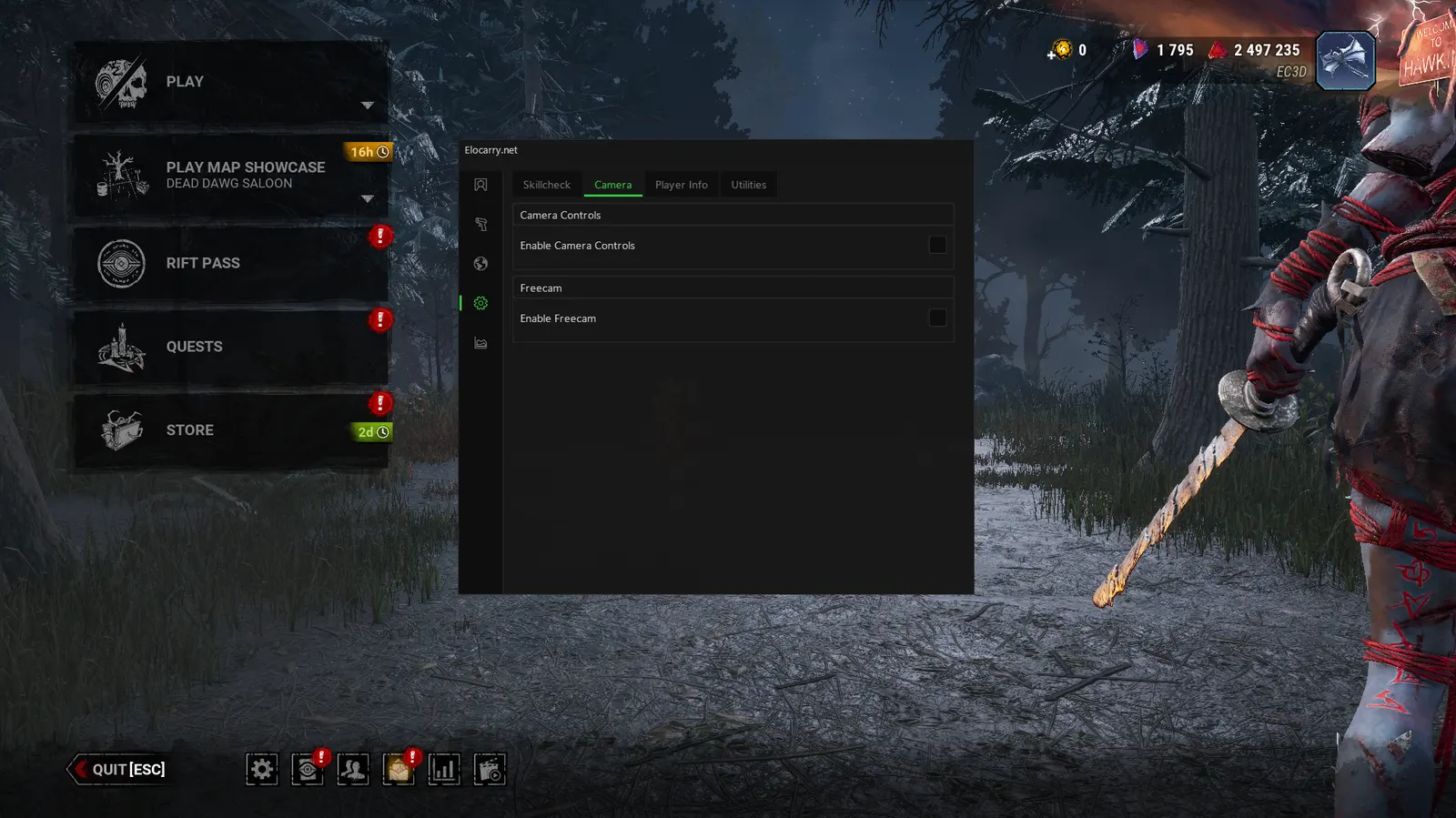
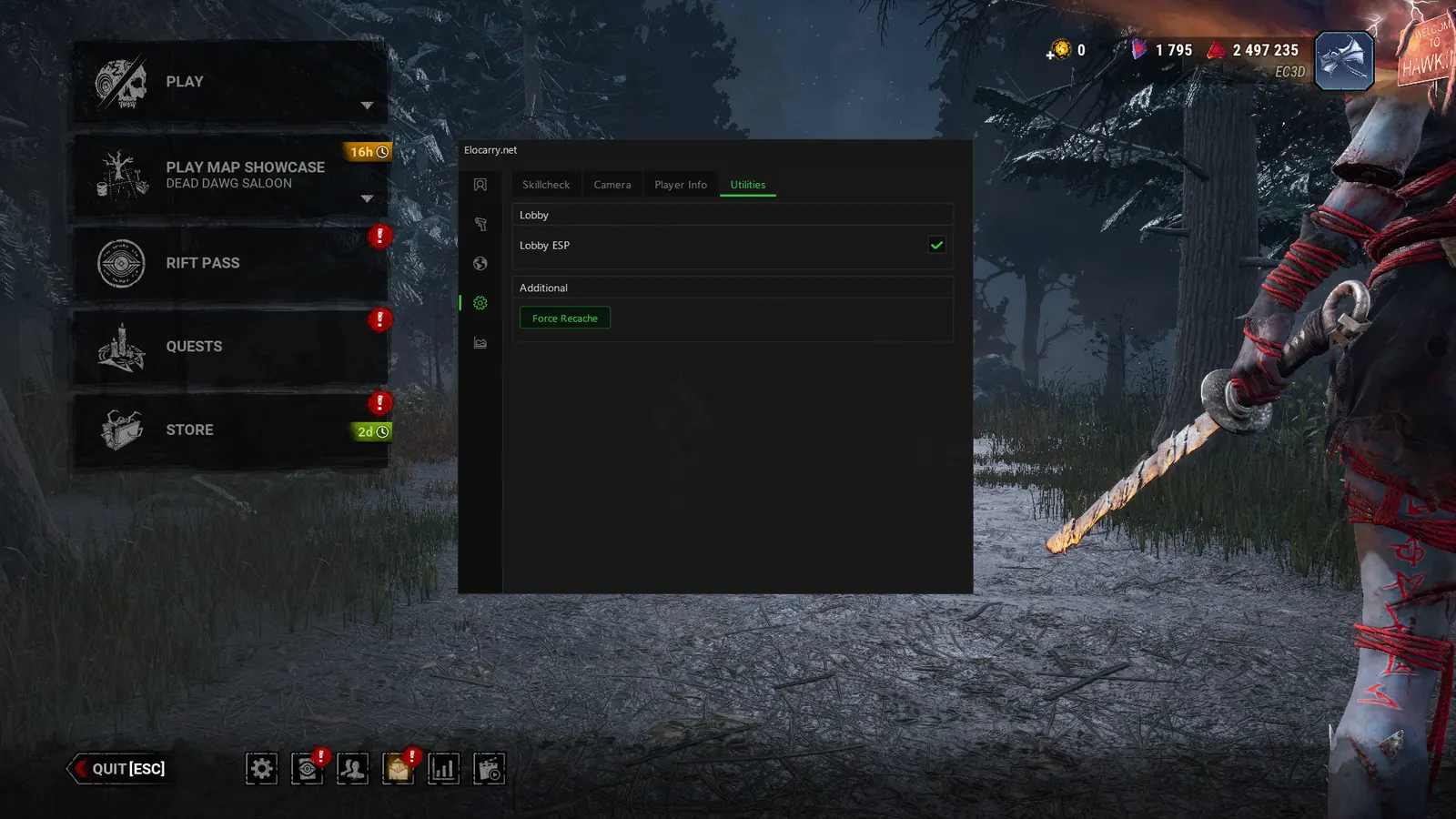
How the Dead by Daylight FOV Changer works
What each layer changes about the picture on your screen.
Widens the camera
Camera FOV applies on either side and goes beyond the slider. A killer sees the survivor at their feet during a lunge; a survivor sees the killer on their shoulder without spinning the camera.
Clears the picture
Lighting Changer and Remove Post-Processing strip the fog, film grain and darkness the maps use to hide movement, so a survivor in a dark corner of Lery's is as visible as one in the open.
Lifts the caps
FPS Uncap removes the frame rate limit for high-refresh monitors and Overlay Scale keeps boxes and text readable at 1440p and 4K.
Why the Dead by Daylight FOV Changer wins fights
Dead by Daylight chases are decided at the edge of the screen: the survivor who slips out of a killer's view around a corner, the killer who appears from a survivor's blind side. A wider camera, a brighter map and a higher frame rate move that edge in your favour on every loop, without touching anyone's position or hitting a single skill check for you.
Stretched resolution deserves its own note. Behaviour treats it as an unfair advantage and the in-game settings will not let you set it, which is exactly why survivors still ask about it. The build does it inside the overlay rather than in the config files the game checks, so the picture stretches and the game files stay untouched. Like everything on this page it is a cheat feature and not a setting, and it ships in the same undetected build as the rest.
Dead by Daylight FOV Changer FAQ
What is the maximum FOV in Dead by Daylight without cheats?
103, through the slider Behaviour added in patch 7.5.0. It applies to first-person killers only, so not to The Good Guy, and survivors have no FOV setting at all because their camera is third-person. The build's Camera FOV goes past 103 and works on survivor.
Can survivors change FOV in Dead by Daylight?
Not in the game. The slider is killer-only and the survivor camera is fixed. Camera FOV in the build applies to survivor as well, which is where it changes the most: you see the killer on your shoulder at a loop without turning the camera away from where you are running.
Is stretched resolution bannable in Dead by Daylight?
Forcing it through config edits or third-party tools is against Behaviour's rules, and the game has blocked the settings route for years. The build renders the stretch inside the overlay instead, so the game files are not edited and there is nothing for a file check to find. It is still a cheat feature, it ships in the same build as everything else, and no method is ever guaranteed.
Does the FPS uncap work on any monitor?
It removes the game's frame rate cap; what you get after that is down to your GPU and your monitor's refresh rate. On a 144Hz or 240Hz screen it is the difference between the game feeling capped and feeling like the rest of your library.
Does the lighting changer work on every map?
Yes. It changes the lighting the map is rendered with, so it applies everywhere. The biggest difference is on the dark and foggy realms: Yamaoka, Lery's, Midwich, the Red Forest and any map with a night variant.
Is freecam useful or just a novelty?
Both. It detaches the camera from your character so you can look at any part of the map, which is useful for reading a lobby of survivors from the killer's spawn or checking a loop before you commit to it, and it is where most people record their clips from.
Is the FOV changer a separate purchase?
No. It is part of the full Dead by Daylight cheat. One licence unlocks the FOV changer and every other feature in the build.
How do I get the Dead by Daylight FOV changer?
Pick a duration on the Dead by Daylight page and pay. Access and your Discord role are granted instantly, then you load the build and toggle the FOV changer in the menu.
What Dead by Daylight players say
Rated 4.7/5 from 259 reviews on Trustpilot. 86% five stars.
- 4 out of 5 stars


"Elocarry has been the 2nd provider I have chosen on the market and I honestly don't have any needs to change to another one - I am staying there as long as Elocarry exists.
Cash Plays · May 2026 - 5 out of 5 stars
one of the safest bf6 cheats out there, most of the other providers are getting hit hard with bans, ive used elocarry for well over a month now and i have no issues no bans
Rekar · Oct 2025 - 5 out of 5 stars
It definitely works. I bought a 24hr ow key. Used it for like 8 hours today(unhealthy ik) and I've ranked up from silver 4 to plat 4 without ban or single accusation LOL
NocturnalWyvern · May 2026 - 5 out of 5 stars
excellent support with almost instant reply and resolve of the situation. found the product useful and safe if you are smart. deff recommend ELO
Anthony David · Jan 2026 - 5 out of 5 stars
EC is the best provider i have used thus far. Their cloud inject is next level preventing detection. Only way you get offed is when you rage.
Extra Account · Jul 2025 - 5 out of 5 stars
EloCarry is most definatly one of the best providers out there! they take their security very seriously and the support is amazing!
Adam Walley · Dec 2025 - 5 out of 5 stars
support is great, services work amazing and very easy to use. top tier 10/10 the best if not one of the best out there right now.
bruh pls · May 2026 - 5 out of 5 stars
Amazing software great prices and the best staff that'll help you with everything. (Would 100% recommend)
holy hood · May 2026 - 5 out of 5 stars
Great people, very friendly, helpful and great devs. Never had a problem with them would 100% recommend.
Oliver Dyer · May 2026 - 5 out of 5 stars
Great owner, always willing to help and provide support in every scenario. Lovely community as well!
Liam Nagel · Nov 2025
Latest Dead by Daylight guides
Tips, tactics and patch notes from the blog, straight from the team.
Dead by Daylight Player Count 2026: How Many People Play DBD Right Now
Dead by Daylight player count in 2026 from Steam Charts: 44,000 playing right now, a 168,845 all-time peak in June 2026, monthly averages back to 2016 and why the numbers move.
Read article Guide 15 Sept 2026Dead by Daylight Anti-Cheat Explained: How EAC Works in DBD and What Actually Gets Players Banned
Dead by Daylight anti-cheat explained: how Easy Anti-Cheat and server checks catch cheaters, what a ban wave is, and what actually gets DBD players banned.
Read article Guide 12 Sept 2026How to Spot a Cheater in Dead by Daylight (and What Cheats Actually Look Like)
How to spot a cheater in Dead by Daylight: the blatant tells that are never legit, the subtle ones that usually are, and how to report one properly.
Read articleFree Dead by Daylight tools
Plan before you play. No account, no cost.
Every killer ranked, from best to worst in the current meta.
Roll a random killer and a matching perk build for your next trial.
Practise great skill checks in the browser and track your hit rate.